
Dashboard
Discover the FORDATA VDR feature that helps you monitor the progress of the process.
The Dashboard tab contains information useful for monitoring the progress of the process, such as the activity level of individual groups, a list of the most popular files, and the activity of individual users.
Data Room Key Metrics
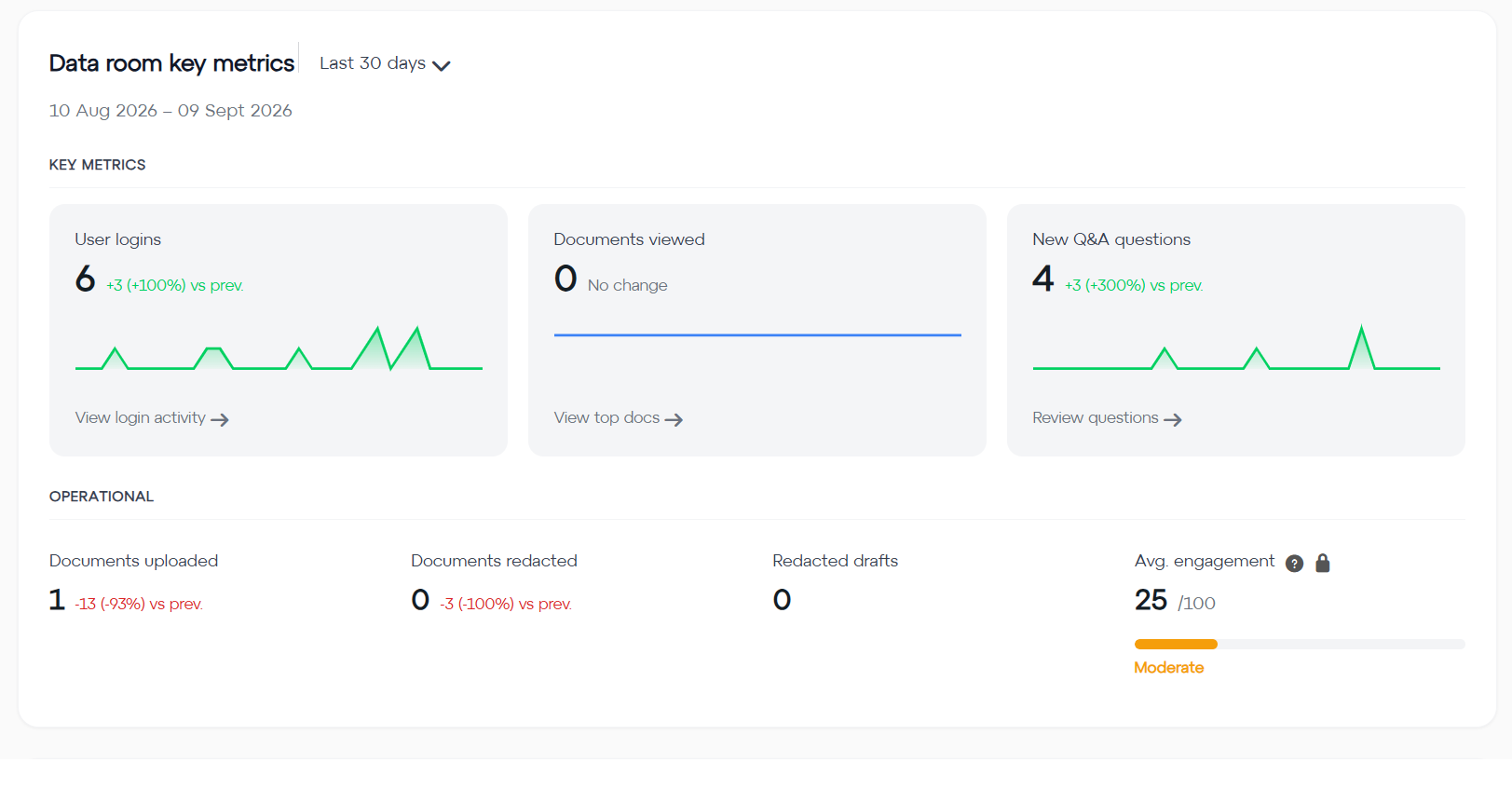
Data Room Key Metrics helps you efficiently monitor overall activity in the VDR.
Data Room Key Metrics (Fig. 1) is divided into 2 sections:
-
Key Metrics show information on how the VDR is being used (the number of user logins, documents viewed, and new questions asked in the Q&A module).
By clicking "View login activity" and "Most popular documents", you can go directly to the relevant report.
- The Operational section shows the number of newly uploaded and redacted documents, as well as the average overall user engagement on the VDR (calculated based on document views, time spent on the VDR, and activity in the Q&A module).
Data Room Key Metrics shows values for a selected period. Predefined periods, such as the last week or month, are available. You can also select a custom date range.
Buyer Engagement Analysis
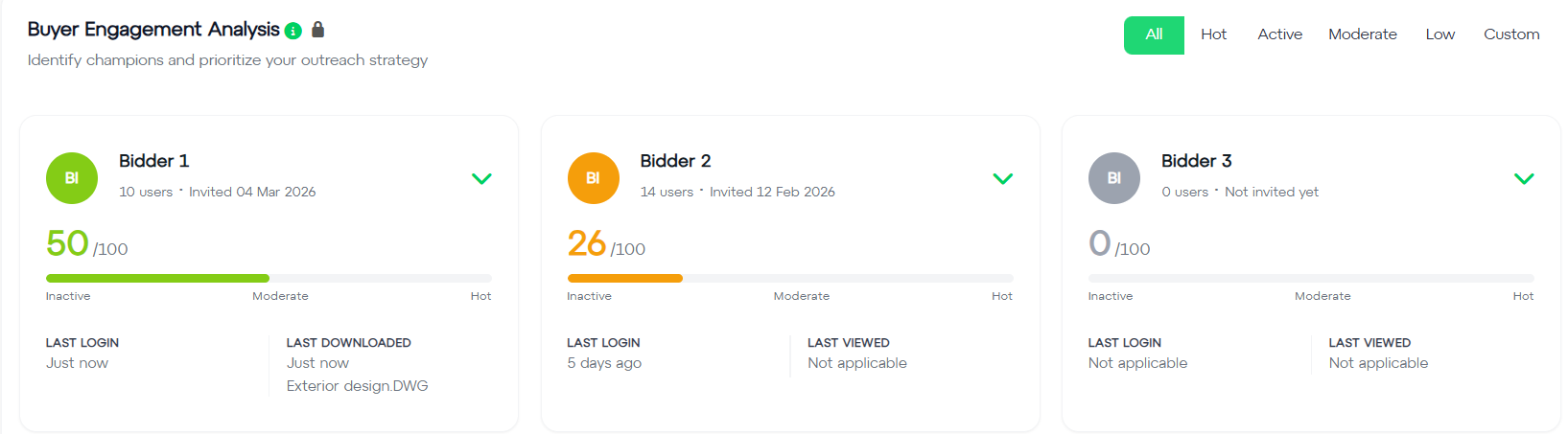
Buyer Engagement Analysis (Fig. 2) helps you quickly determine the engagement of specific user groups on the VDR and check details of their activity.
The section ranks groups based on their engagement (calculated based on login frequency, documents viewed, downloads, participation in Q&A, session duration, weekend activity, and other factors).
- The group view can be filtered based on their activity level (e.g. displaying only groups with high activity).
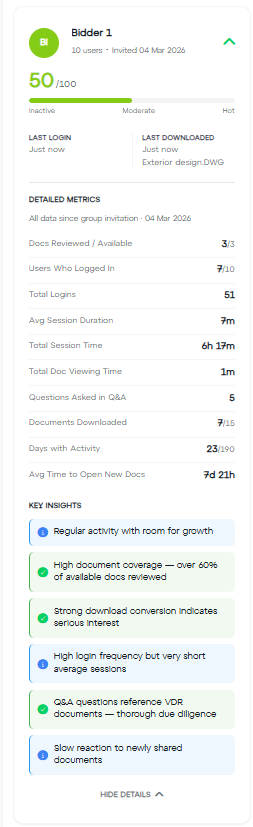
- After clicking on a group, you can see details of its activity (Fig. 3), such as the number of documents viewed compared to all documents available to the group, the number of questions asked in the Q&A module, or the total number of logins.
- The details view also highlights key insights based on the data, e.g. "High document coverage – more than 60% of available documents have been viewed" or "Activity gap detected – no logins for 16 days."
Activity and Most Popular Files
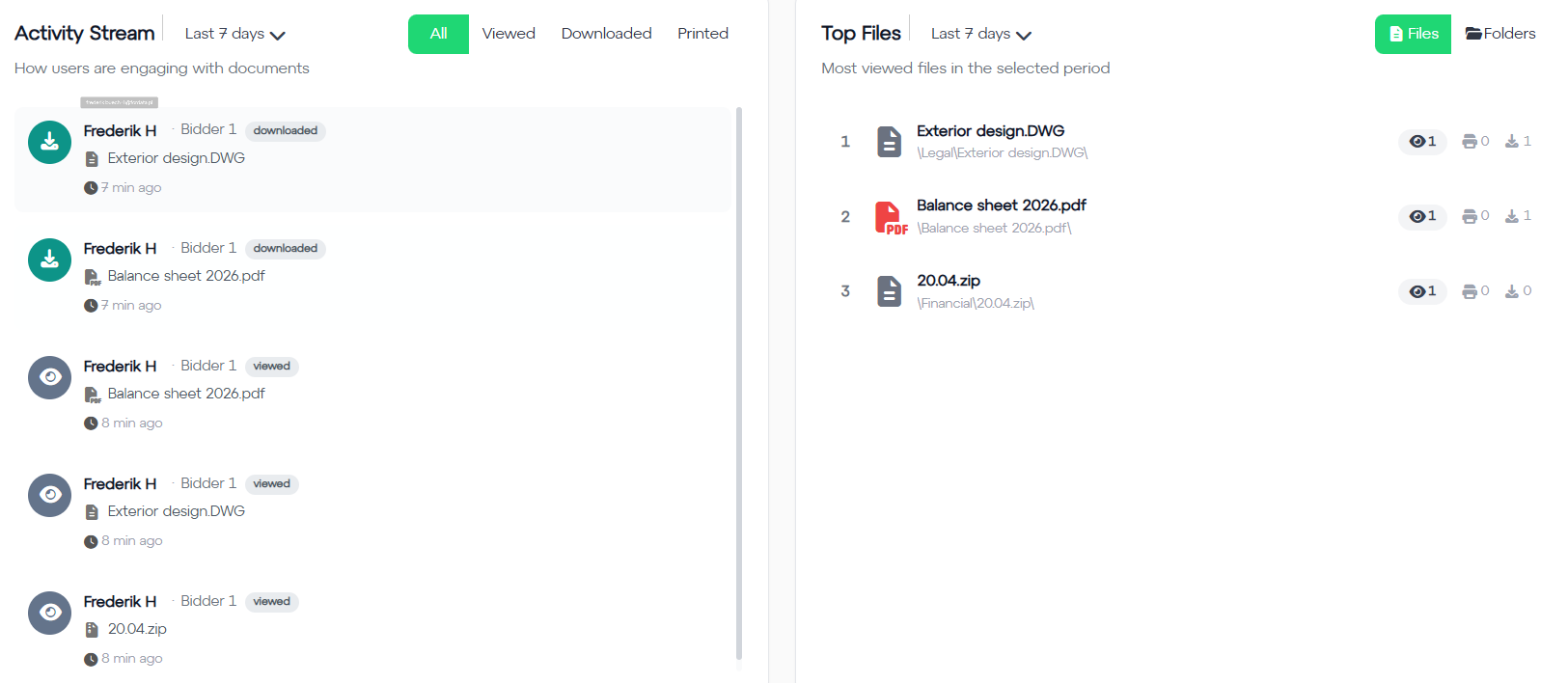
Activity and Most Popular Files (Fig. 4) help you see how individual users interact with documents and determine which files are viewed most frequently.
- Both sections can be filtered by period, just like Data Room Key Metrics. Activity can additionally be filtered by activity type (view, download, print), while Most Popular Files can be filtered by files or folders.
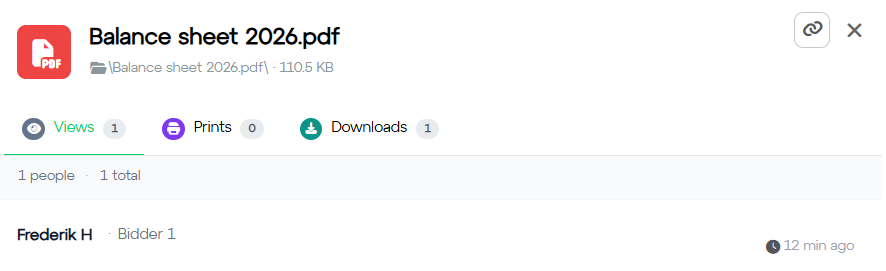
- Clicking a document name in Activity will take you directly to the document. Clicking a file in Most Popular Files opens a new window (Fig. 5) showing details of the file's activity. Clicking its name will also take you directly to the file.
Group Activity
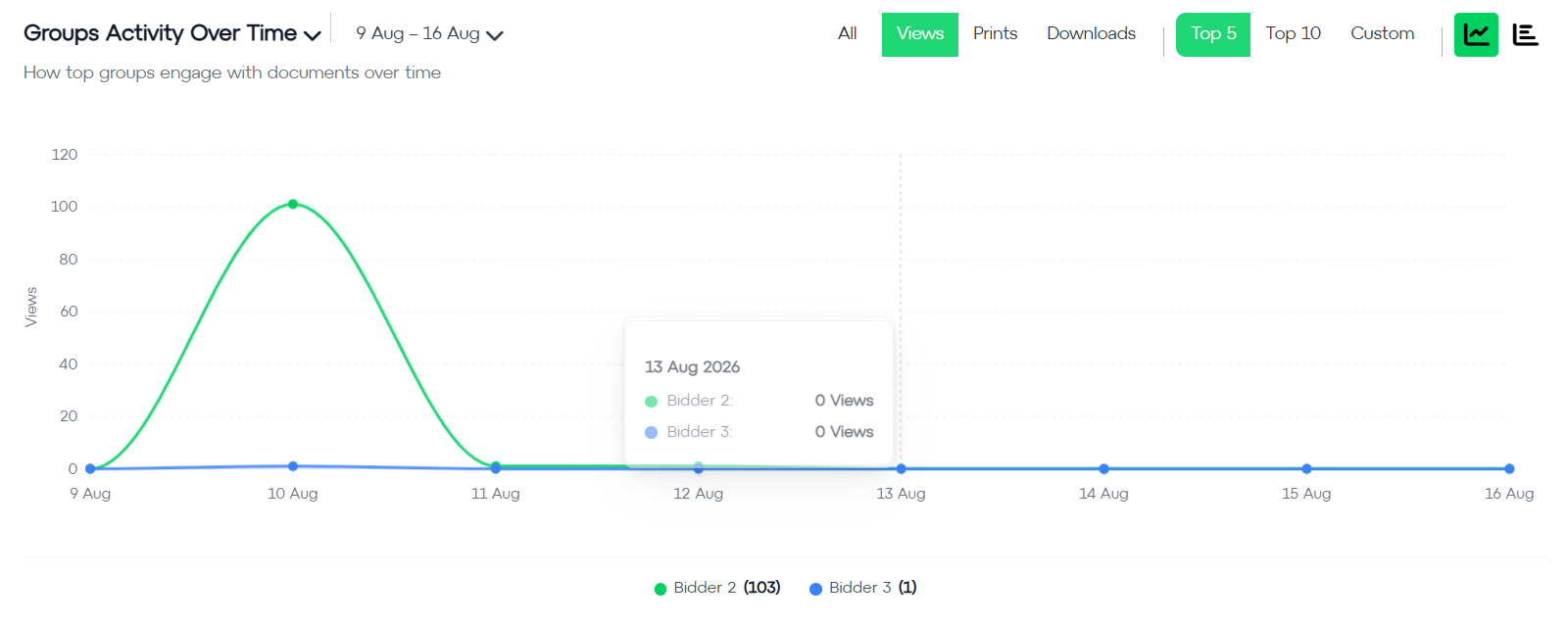
Group Activity Over Time (Fig. 6) allows you to track how individual groups use the VDR over time.
- This section offers two views:
- Group Activity Over Time – shows how individual groups engage with documents day by day.
- Time Spent in the VDR – shows how many minutes individual groups spent in the Data Room, day by day.
-
The data can be filtered by period and activity type (view, download, print).
You can choose to display the activity of the 5 or 10 most active groups, or select groups manually.
Group Activity Overview
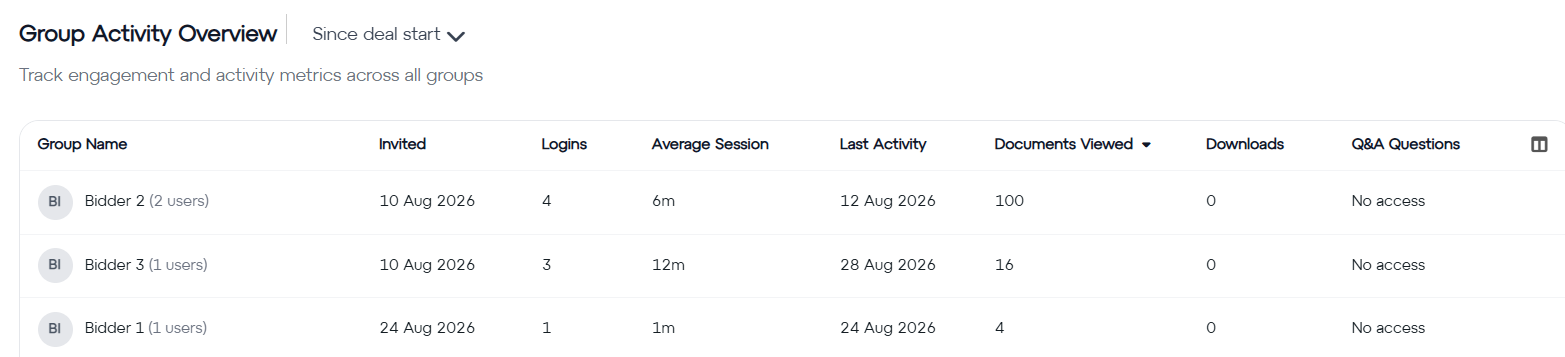
Group Activity Overview (Fig. 7) helps you track the activity of all groups on the VDR.
Group activity can be filtered by period.
For each group, you will see the key information about its activity:
- Date the group was invited to the VDR;
- Total number of logins;
- Average session duration;
- Date of last activity;
- Number of documents opened;
- Number of documents downloaded;
- Number of questions asked in the Q&A module.
Do you have additional questions?
The #FORDATAteam is here for you.
Contact us via email at support@fordatagroup.com
or call us at:
EMEA +44 204 584 3861
APAC +852 21 582 983
Americas +1 917 779 9339