
Adding video files to the VDR
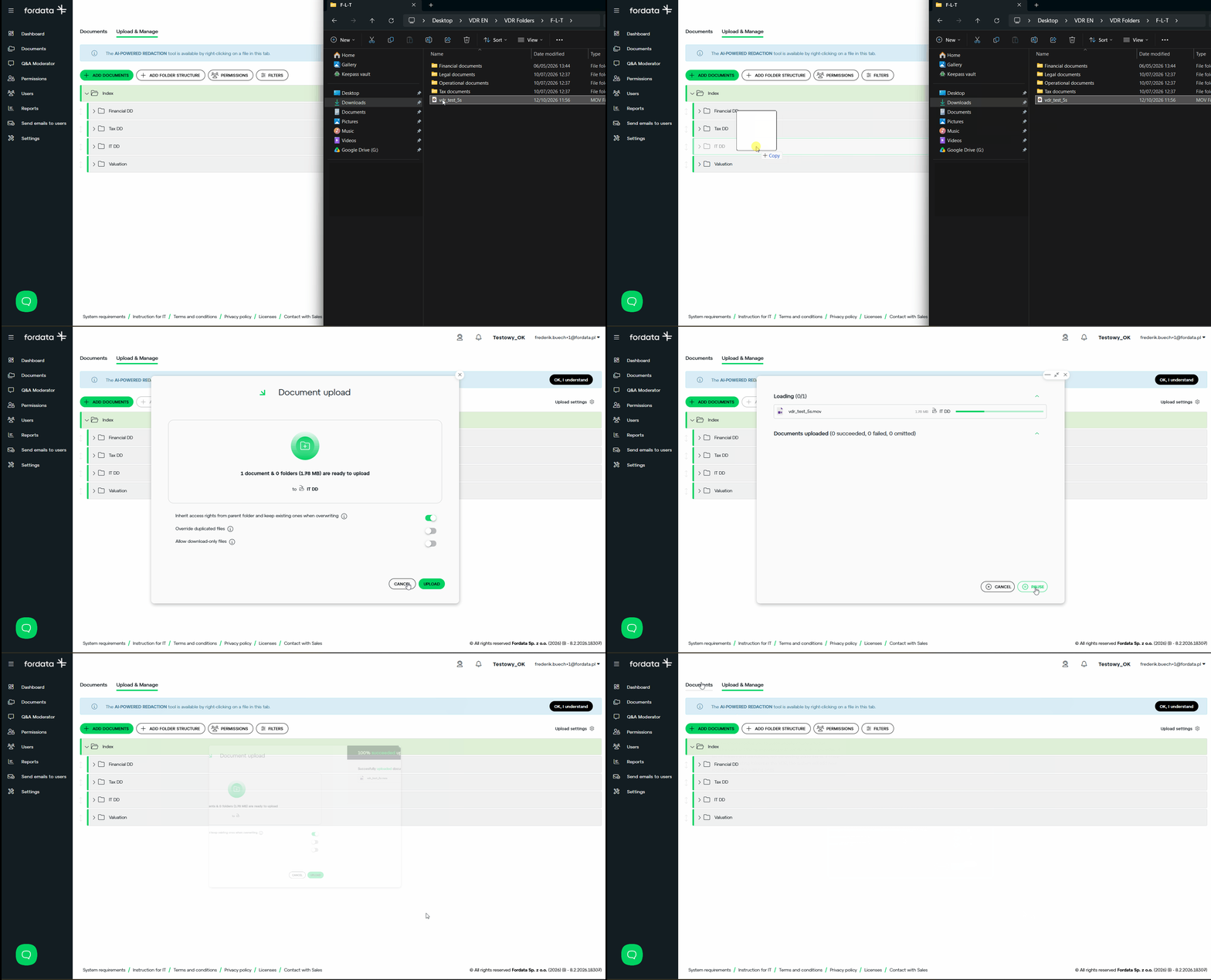
You can upload video files to your VDR in the same way as documents. Users can watch them directly in the browser using the built-in video player.
Upload a video
- Go to the Documents tab.
- Select Upload and manage.
- Drag and drop the video file into the data room, or click Add document and select the file.
Supported formats:
MP4, MOV, AVI, WMV, M4V, MPG, MPEG, MKV, WEBM, FLV, F4V, 3GP, TS, MXF, ASF
Do you have additional questions?
#FORDATAteam is for you.
Contact us via email support@fordatagroup.com
or at phone number:
EMEA +44 204 584 3861
APAC +852 21 582 983
Americas +1 917 779 9339